Restaurant OS  ·  Live Now

PC ON. FOOD BUSINESS ON.

// Plug in. Switch on. Serve everyone.

iCouds RestFlow platform
POS
Just Eat
Uber Eats
Deliveroo
Kiosk
POS Just Eat Uber Eats Deliveroo Kiosk Online Orders USB Print Network Print Caller ID Split Payment Cloud Access POS Just Eat Uber Eats Deliveroo Kiosk Online Orders USB Print Network Print Caller ID Split Payment Cloud Access
POS
Online
Just Eat
Uber Eats
Deliveroo
Kiosk
// Centralised Order Management

Every Channel.
One Dashboard.

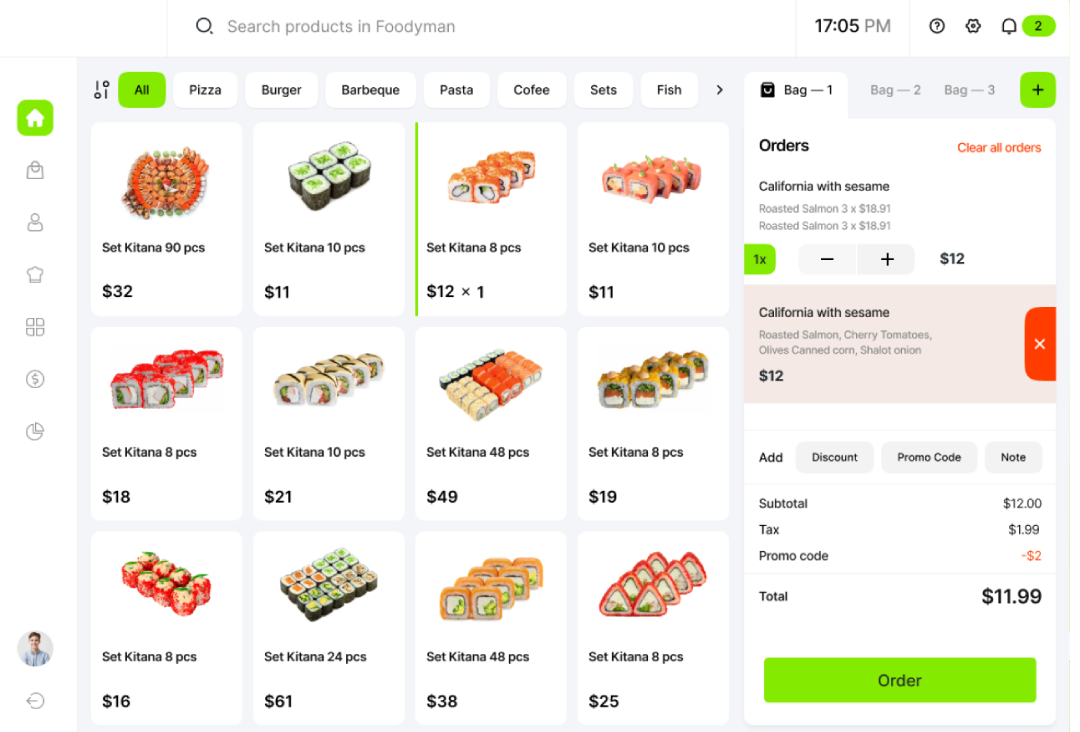
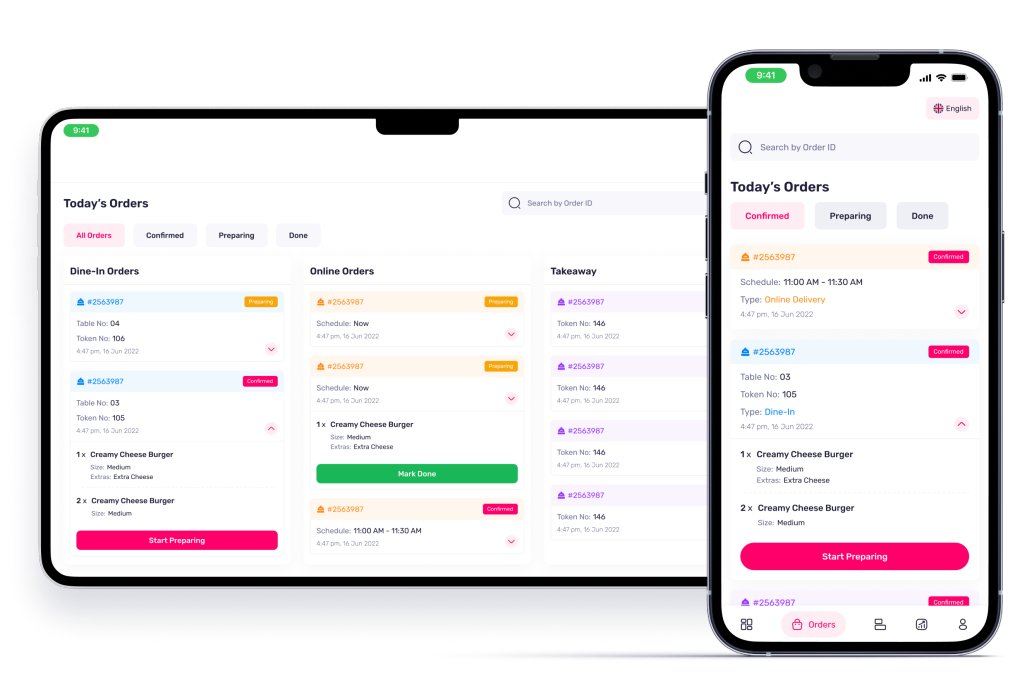
Dine-In, takeaway, and every delivery platform routes into the same live screen. No missed orders. No tab-switching. No chaos.

6
Channels
1
Dashboard
0
Missed Orders
Live order dashboard
// Self-Service Kiosk

Customer
Self Checkout.
Done Right.

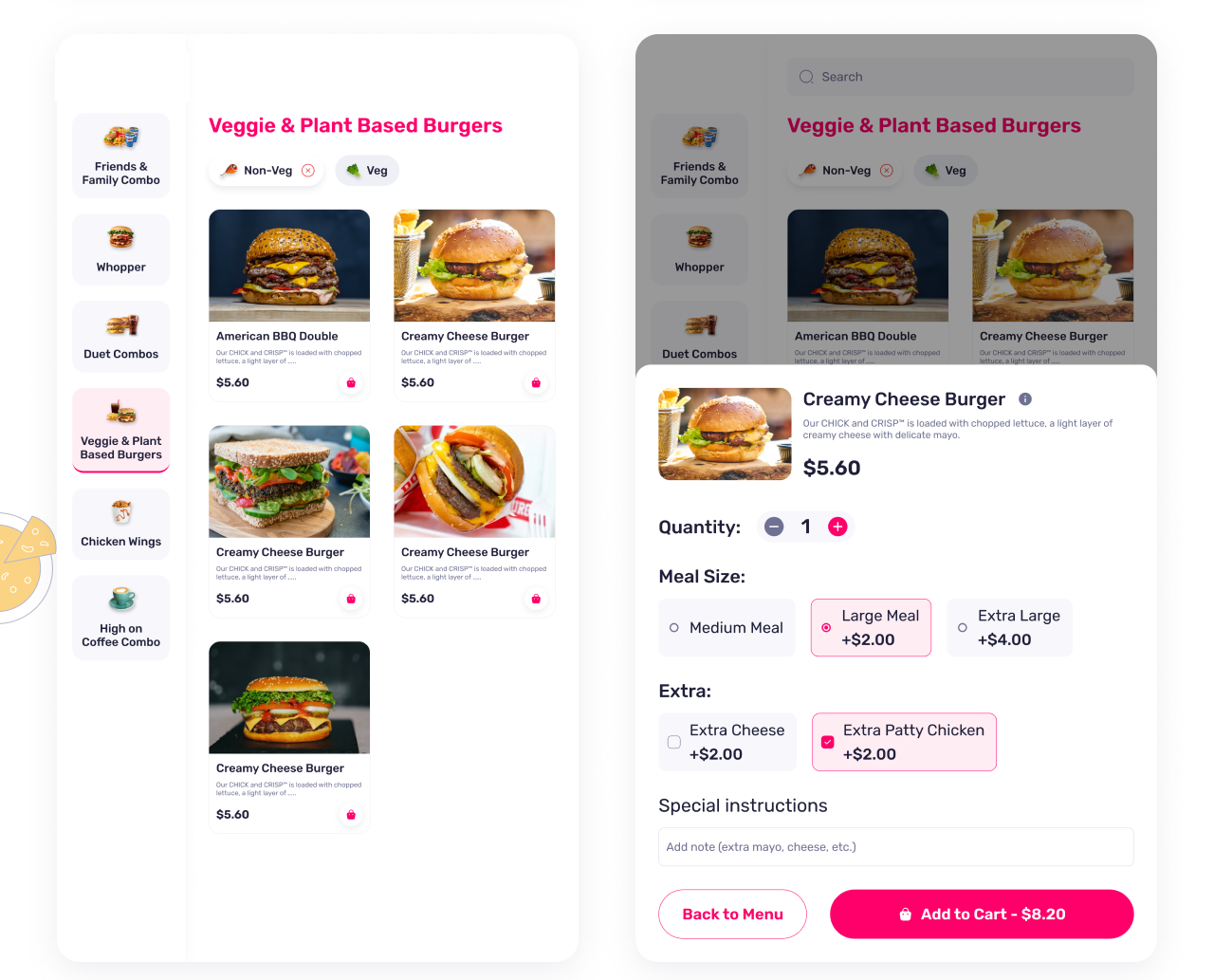
Turn any touchscreen into a branded self-service kiosk. Multi-language, fully integrated payments, tickets straight to the kitchen.

  • Multi-language — English, Arabic, French & more
  • Full menu with photos, descriptions & allergen info
  • Integrated card & NFC payment at the kiosk
  • Fully branded to match your restaurant identity
  • Dine-in table select or takeaway — customer's choice
  • Auto-prints receipt & kitchen ticket on confirmation
Self-service kiosk
// Platform Integrations

Connect In
30 Seconds.

Paste your credentials. RestFlow does the rest — live menu sync, auto order acceptance, real-time status push.

Just Eat
Integration

Connect your Just Eat store in seconds. Orders flow directly into your dashboard — no tablet, no manual accept needed.

Enter your Just Eat Client ID & Secret
Set your Store ID and API Key
Choose Live or Sandbox environment
Save — orders start flowing instantly
Webhook auto-configured for real-time push
Just Eat merchant integration settings

Uber Eats
Integration

Sync your Uber Eats menu and accept orders automatically. Menu changes push live across all platforms simultaneously.

Select Uber Eats from the provider dropdown
Enter your Client ID & Client Secret
Add your Store ID for location linking
Set environment to Live and hit Save
Orders appear in your dashboard in real time
Uber Eats merchant integration settings

Deliveroo
Integration

Full Deliveroo connection with live order acceptance, prep-time push-back and delivery ETA sync — all configured in one screen.

Choose Deliveroo as your provider
Paste your API Key and Webhook Secret
Enter your Store ID
Switch environment to Live and Save
ETA and status updates sync automatically
Deliveroo merchant integration settings
// Zero-Friction Printing

USB. Network.
Just Works.

No third-party print software. No drivers to hunt down. Plug it in — detected instantly.

  • USB receipt & kitchen printers — auto-detected in seconds
  • Network / LAN printers via IP — zero configuration
  • Kitchen ticket printing with order details & modifiers
  • Branded customer receipts with logo & QR code
  • Reprint any order with one tap

No extra tools required. RestFlow talks to USB and network printers natively — straight out of the box, no middleware, no bridging software.

Printer & Device settings
// Flexible Payments

Split Bills.
Any Way
They Want.

Cash, card, and multiple methods on the same transaction — no awkward workarounds.

  • Cash, card, MFS and custom payment types
  • Split payment across any combination of methods
  • On-screen numpad — fast cash entry & change calculation
  • Unlimited payment lines per transaction
  • Confirm & print receipt in one tap
Split payment screen
// Caller ID Integration

Phone Rings.
Customer
Pops Up.

Connect a USB caller ID unit and RestFlow does the rest. Name, past orders and preferences surface on screen before you even say hello.

  • Auto-detects USB caller ID hardware — no setup needed
  • Customer profile surfaces instantly on incoming call
  • Last 5 orders shown for quick reorder
  • Saved delivery addresses ready to confirm
  • Notes visible — allergies, preferences, VIP flags
  • Place the order in under 30 seconds from pickup

Works with any standard USB caller ID dongle. No proprietary hardware, no subscriptions. Plug in and every phone order becomes a 5-star experience.

USB Caller ID device
Incoming Call
James Mitchell
14 Baker Street, E1 6RF
Regular Customer
Last: Large Pepperoni, Garlic Bread
// Installation Guide

Up & Running
in Minutes.
Watch How.

No IT team. No server rack. Watch the full walkthrough and see how fast iClouds RestFlow goes live on your PC.

1
Download the installer
Windows, Mac or Linux — one file, one click, done in under 2 minutes.
2
Connect your devices
Plug in printers, cash drawer, caller ID. Auto-detected instantly.
3
Link your order channels
POS, Just Eat, Uber Eats, Deliveroo — all live in seconds.
4
Access from anywhere
Browser, tablet, phone — your dashboard follows you everywhere.

iClouds RestFlow
Installation Guide

Full step-by-step walkthrough

 youtube.com Watch on YouTube

Opens in YouTube — no buffering, no restrictions

// Get Started

Live In 4 Steps.

Your PC runs, your food business runs — from anywhere, any device.

01
Download & Install

One installer for Windows, Mac or Linux. Done in under 2 minutes. No IT, no server.

02
Plug In Devices

Connect printers, cash drawer, caller ID. Auto-detected — no driver hunting.

03
Link Your Channels

Just Eat, Uber Eats, Deliveroo. Menus sync and orders flow within seconds.

04
You're Live

Start taking orders from any browser, anywhere in the world.

Windows 10/11
macOS
Linux
Web Browser
iOS & Android
Cloud Access
Your PC Runs.
Your Food Business Runs.

No overengineering. No 40-tab setup. Just iClouds RestFlow — and you're live.

Start Free — 30 Days Watch Install Guide
// Get In Touch

Let's Talk
Food Tech.

Have a question about RestFlow? Want a demo? Looking to discuss pricing? Drop us a message and we'll be back with you fast.

 Get in Touch

Business Hours
Mon – Fri: 9:00 AM – 6:00 PM GMT
Weekend: Emergency support
Location
Oxford, United Kingdom
Support
iclouds.co.uk
Mobile

 Send a Message